Printable CM Ruler
Centimeter numbers with a mark every millimeter. Choose a 10, 15 or 20 cm ruler for crafts, schoolwork and everyday measurements.
PRINTABLE TOOLS
A paper ruler, ready when you need one.
Choose your units and
paper. Download a PDF at actual size.
6 inches · US Letter · portrait · 1 piece · 1/8 inch
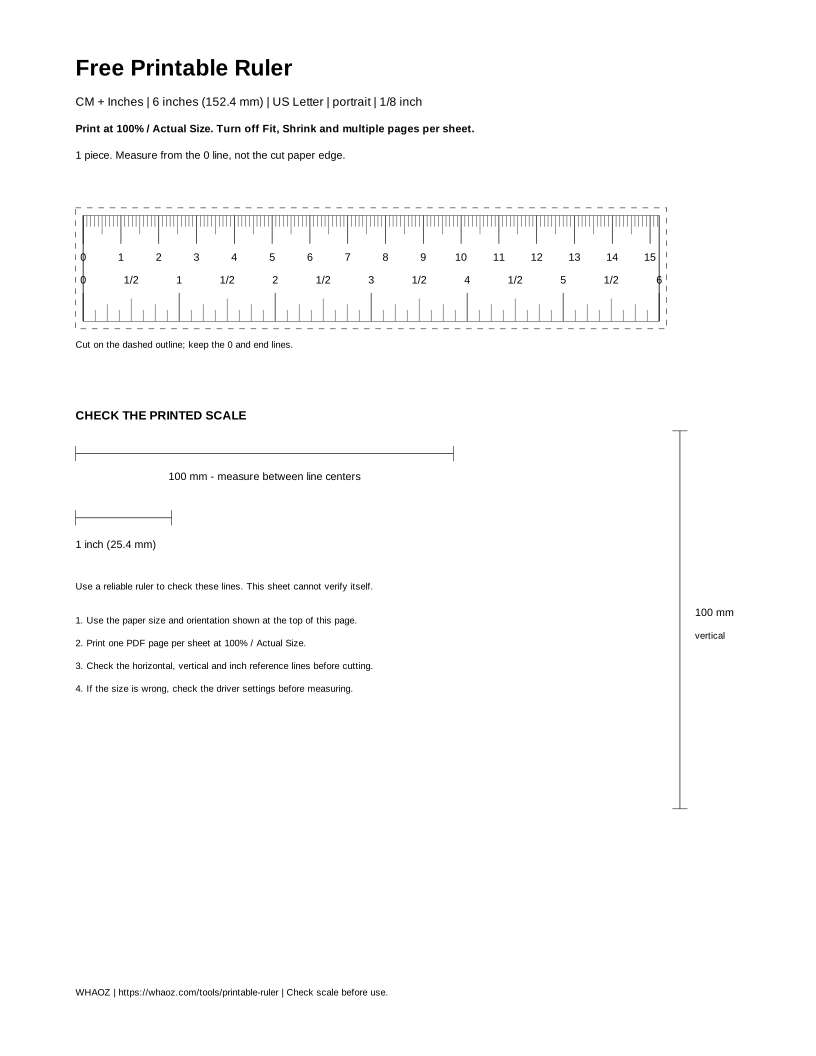
Preview only — print the PDF at 100%. Screen size is not measurement size.
Print at 100% / Actual Size.
Turn off Fit and
Shrink. Check the reference lines before cutting.
BEFORE YOU MEASURE
The PDF sets the dimensions. Your printer settings decide whether those dimensions stay the same on paper.
Choose A4 or US Letter to match the paper in your printer. Download and open the PDF.
Select Actual Size or 100%. Turn off Fit to page, Shrink oversized pages and multiple pages per sheet. Use the PDF's orientation; avoid borderless enlargement.
Print one copy first. Use a reliable ruler to check the horizontal and vertical 100 mm lines and the 1-inch line, measuring between line centers.
Cut around the dashed outline. Start measuring at the 0 line, not the paper edge. If the printed scale is wrong, check the paper and printer driver settings before using it.
CHOOSE YOUR SCALE
The spacing follows the unit you choose. Paper size changes the layout, never the measuring scale.
Centimeter numbers with a mark every millimeter. Choose a 10, 15 or 20 cm ruler for crafts, schoolwork and everyday measurements.
A millimeter mark at every 1 mm, with labels at 10 mm intervals. A 100 mm ruler is exactly 10 cm; this template labels the scale in millimeters.
Choose 6 or 8 inches with 1/8 or 1/16 inch divisions. Whole, half and quarter inch marks have different lengths so the scale is easier to read.
Both scales share one zero point. A 6-inch ruler ends at 152.4 mm, not 150 mm. The exact endpoint stays visible when the other unit ends between regular marks.
GOOD TO KNOW
No. 6 inches is exactly 152.4 mm, or 15.24 cm. A 15 cm ruler ends at 150 mm. Each preset keeps its own exact length.
No. 12 inches is 304.8 mm; 30 cm is 300 mm. They differ by 4.8 mm. Only use a length that is offered in the selector.
Fit to page and Shrink settings can change the scale. Select the correct paper and print at Actual Size or 100%. If either reference line is still wrong, check the printer driver. That print is not suitable for accurate measurements.
Choose the paper you are actually printing on. US Letter is 8.5 × 11 inches; A4 is 210 × 297 mm. Changing paper here changes the page layout, not the ruler's physical length.
No. The preview scales to fit your screen and may be zoomed. Its on-screen size is not a physical ruler. Download and print the PDF instead.
No. You can download without one. A reliable ruler helps you verify your printed copy, but this page cannot certify your printer. Comparing two lines from the same printed PDF does not independently verify the scale.
Yes. There is no account, payment, upload or daily download limit. The files are black-and-white vector PDFs.
Use it for everyday measuring, crafts or classroom tasks after checking the printed scale. Paper, printer settings and cutting can introduce errors. It is not a certified measuring instrument or a medical template.
A printable template can help with everyday measuring. Printing and cutting can introduce errors. The preview is not a screen ruler, and this tool does not automatically calibrate your printer. Adobe’s print-size guide